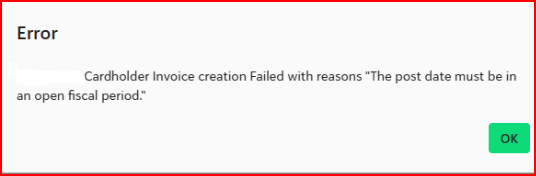
A common error when syncing transactions occurs when the post date (also referred to as the Accounting Date) is set to a fiscal period that is closed in Financial Edge NXT (FENXT).
How to Resolve
To correct this, update the Accounting Date in Ramp to a date that falls within an open fiscal period in FENXT.
Steps to fix:
- Locate the transaction in Ramp.
Reminder - clicking the blue link in the syncing console will take you directly to that transaction within Ramp - Click “Un-ready” to unlock the transaction.
- Update the Accounting Date to a date within an open period.
- Mark the transaction “Ready” again.
- Reattempt the sync within Ramp for FE using the "Get Latest Data from Ramp"
You should now be able to sync the transaction without receiving the closed period error.
Was this article helpful?
That’s Great!
Thank you for your feedback
Sorry! We couldn't be helpful
Thank you for your feedback
Feedback sent
We appreciate your effort and will try to fix the article